Test the Android app
Three steps, about two minutes, once.
Android only. On iPhone or desktop, open the web app instead.
1.Join the tester group
Use the same Google account that is signed in on your phone.
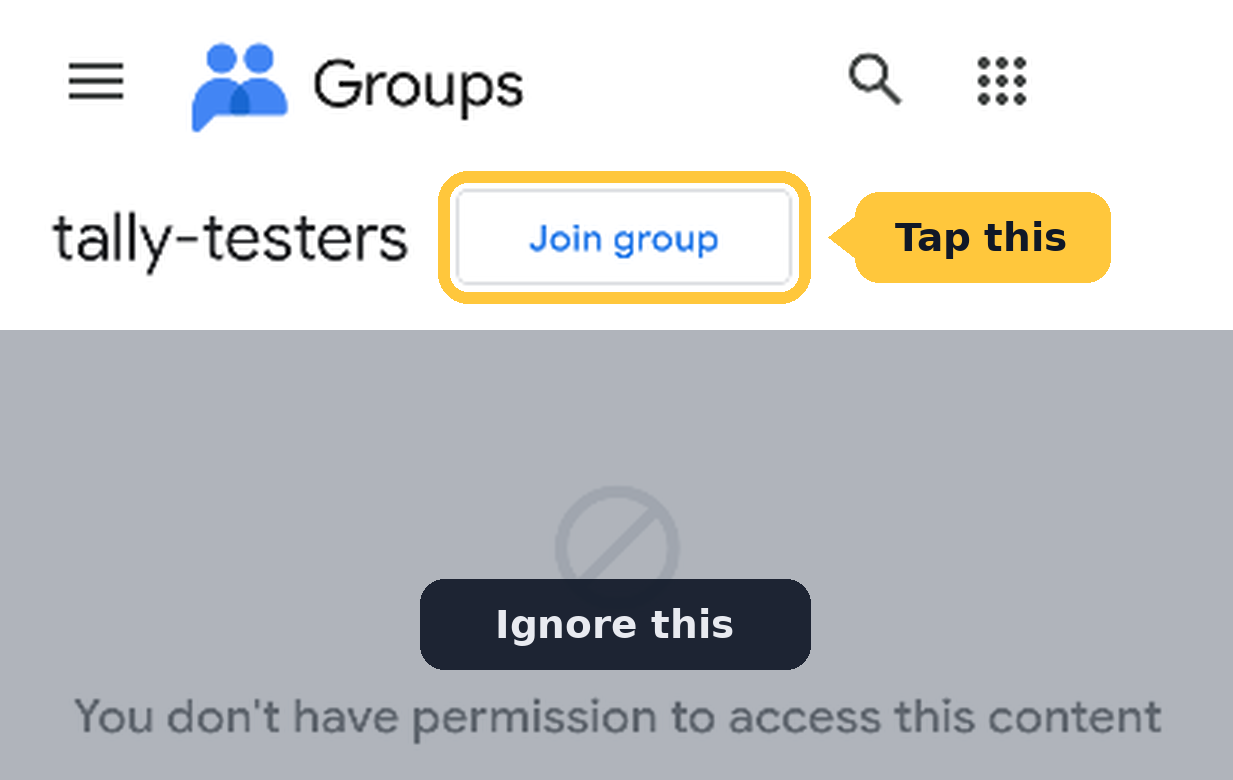
On the page that opens, tap Join group at the top. You'll see a permission message below it. That's normal, ignore it.
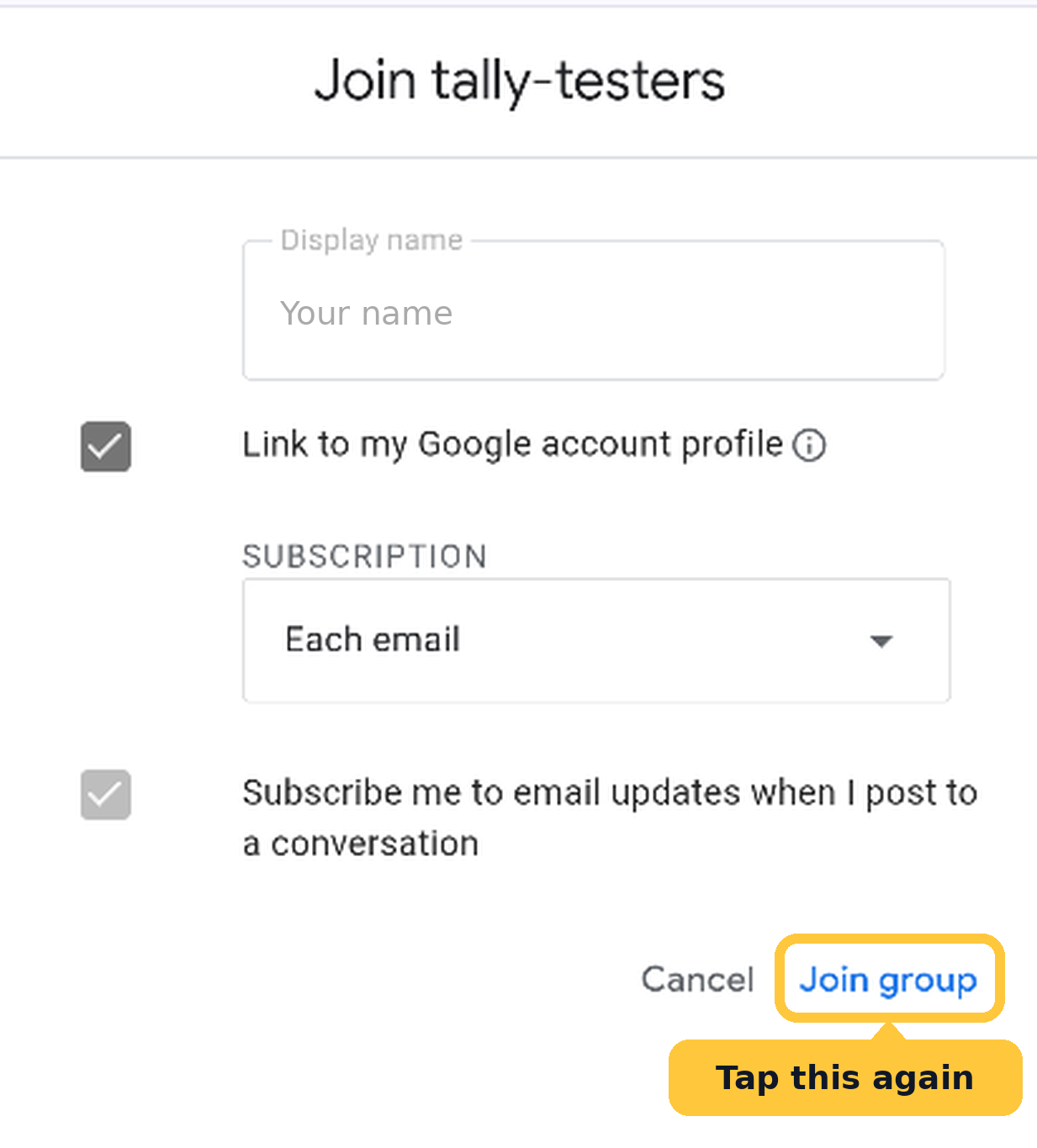
A short form opens next. Leave it as is and tap Join group again at the bottom.
When you see No conversations yet, you're in. Come back to this tab for step 2.
JOIN THE GROUP2.Accept the invite
Tap the button on the Play page that opens.
Then come back to this tab for step 3.
BECOME A TESTERThen play a game now and then
Leave it installed for at least two weeks and open it every few days, even for a quick game against the CPU. Google needs twelve testers for fourteen straight days before the app can go public.
Found a bug or have an idea? Use the feedback option in the app.
Stuck, or something looks wrong? Email [email protected]. Most problems are the phone being signed into a different Google account than the one that joined the group.